
Get started with RINGO5
Sign up. Buy. Start mining.
Three steps, about five minutes. Do them in this order: RINGO5 has to be on your account before your first purchase.
1Create your GoMining account with RINGO5
The button opens GoMining in a new tab with my code already attached, so this page stays right here. If it asks for a referral code, enter RINGO5.
RINGO5Already have an account? The bonus only works on accounts created with RINGO5. If yours is less than 30 days old, add RINGO5 in your profile. Otherwise message me before you buy.
2Buy your terahash
Any amount. GoMining adds 5% bonus terahash to your first miner.
3Send me your GoMining ID
Send it over and two things happen. I confirm you're under my code, so you know RINGO5 took. And my setup checklist lands in your email: the Academy, how I cut my fees, and how I cash out. Questions? I'm right there on Telegram.
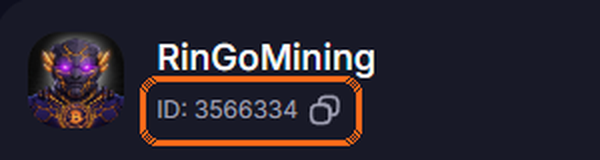
Finding your GoMining ID: tap your profile picture (top right) in GoMining. Your ID is the number right under your name.
Got it.
My setup checklist is on its way to your email now (check spam if you don't see it). I'll confirm you're under my code and be in touch there.
Message me on TelegramThe form is loading slowly or isn't connected yet.
No problem. Message me on Telegram at @RinGoMining or call/text 906-235-5711 with your GoMining ID, and I'll set you up by hand.